Clean Up Job Names in The Vault™

Often times there are Vault job names that need to be cleaned up or consolidated. The process to edit them is quick and easy.

1. To begin editing your job name, choose the card you would like to change:
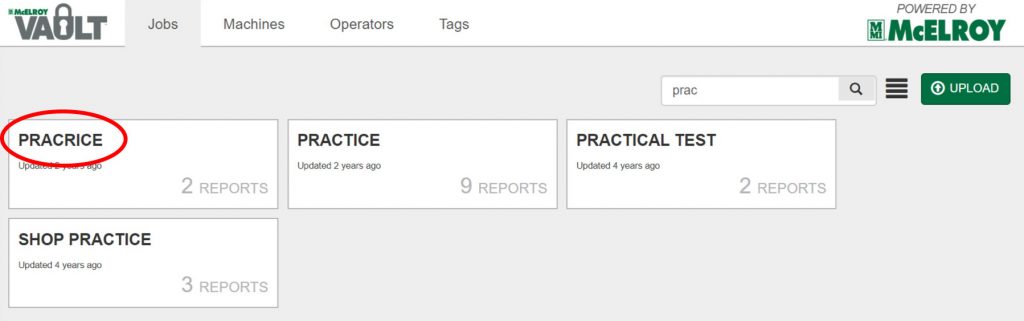
A search for prac on a website shows four results: PRACRICE, PRACTICE, PRACTICAL TEST, and SHOP PRACTICE. The word PRACRICE is circled in red, highlighting a spelling error.

2. From the “Job Detail” page, click the edit button next to the Job Name:
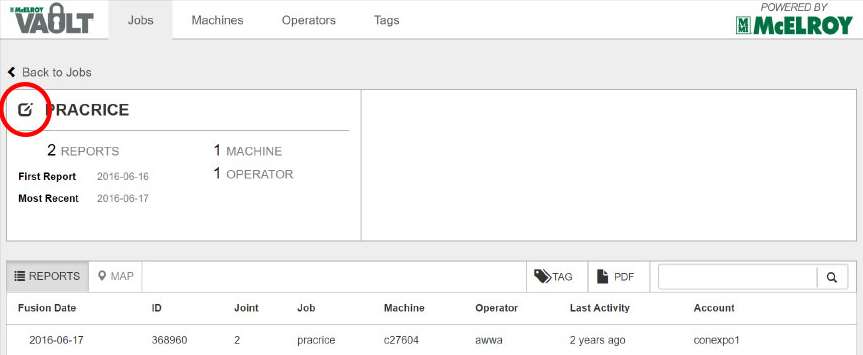
A screenshot of a job management interface shows details for a job named PRACRICE, including reports, machine, and operator information. A red circle highlights an edit icon in the upper left corner.

3. In the popup, change the title to the desired name and choose Save.
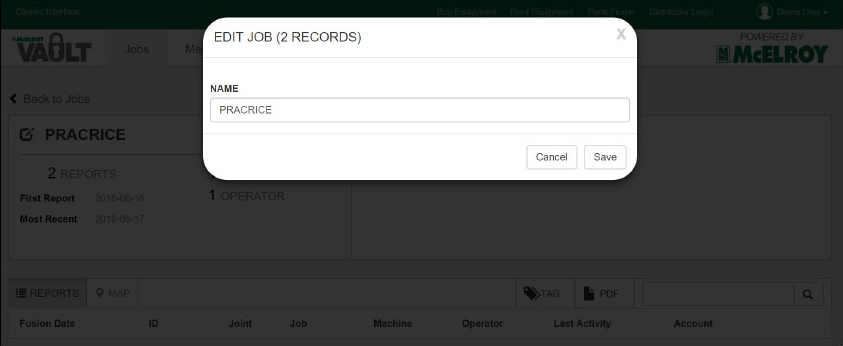
A pop-up window on a software interface displays EDIT JOB (2 RECORDS) with a text box labeled NAME containing the word PRACRICE; options to Cancel or Save are visible at the bottom.


* If it is a duplicate name, all records with that name will be consolidated.
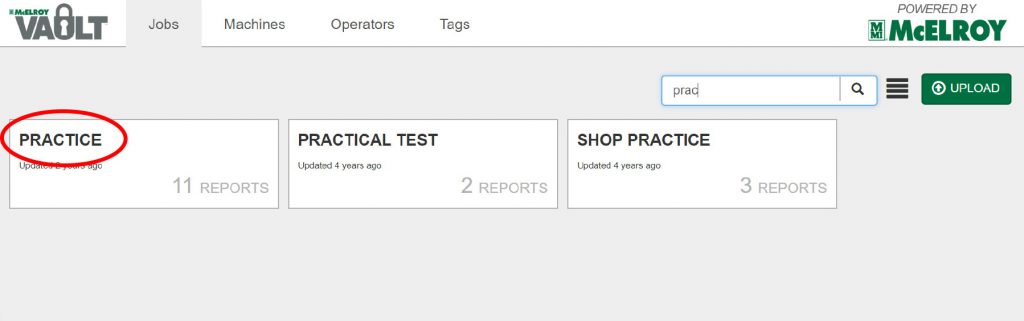
Screenshot of a web page with a search bar showing results for prac: PRACTICE (circled in red), PRACTICAL TEST, and SHOP PRACTICE report cards are displayed with report counts and update times.