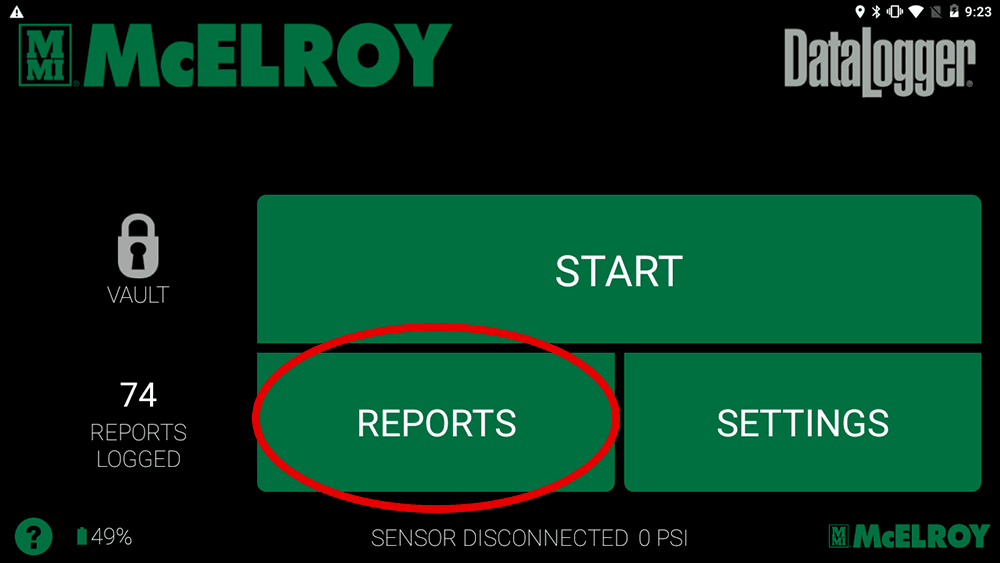
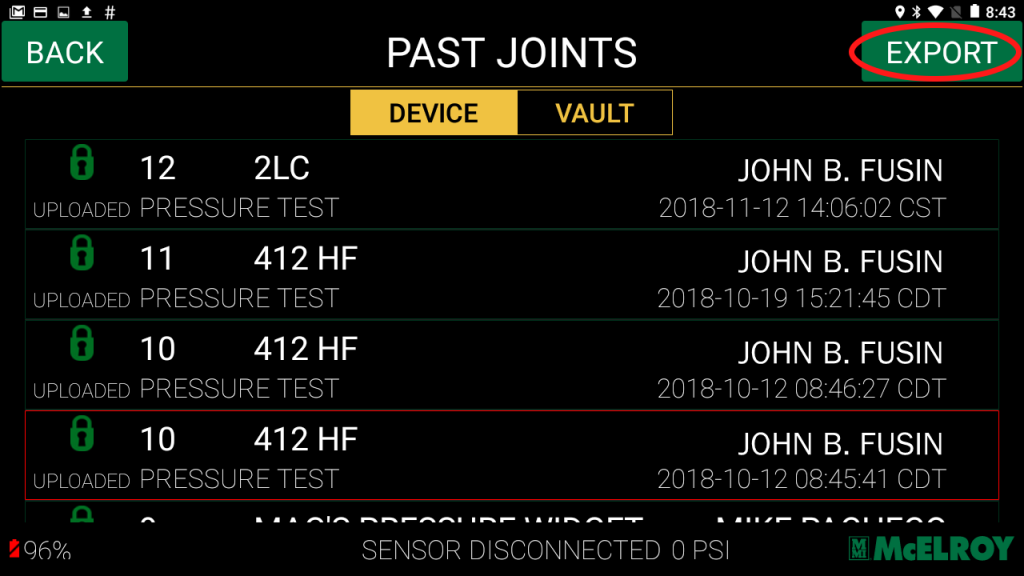
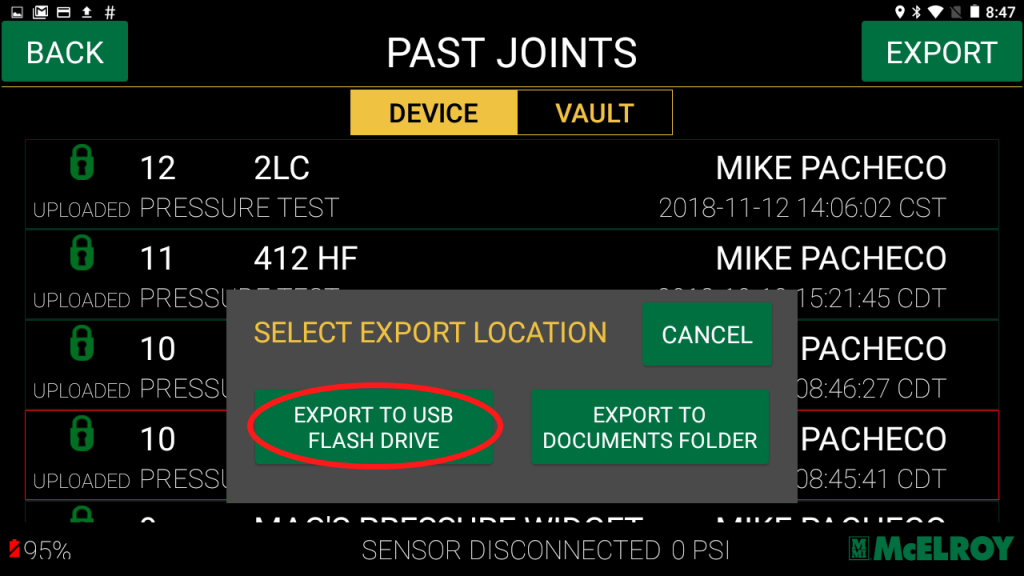
Exporting Records to USB January 31, 2020March 18, 2020 by Clinton Fields Posted in Vault FAQsShare this story:1. Select “Reports” from the Home screen.2. Select the “Export” button in the top, right-hand corner of the screen.3. Choose “Export To USB Flash Drive” from the popup.4. Select “Yes” to confirm export to usb.Related Posts