McElroy has introduced a new calibration program for the DataLogger® 7 and TracStar® iSeries which is easy and offers added benefits. This new system is used in conjunction with the McElroy Vault so calibration reports can be stored in one location and allow for easy access.
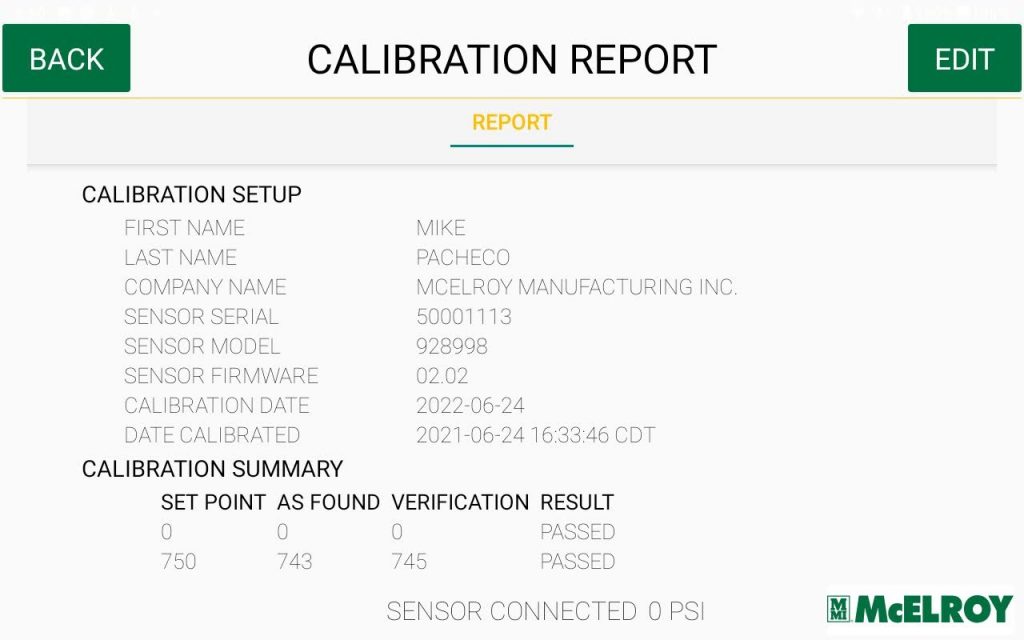
Calibration is key when it comes to ensuring the accuracy of the DataLogger’s pressure transducer. Machines are calibrated before shipment but require regular recalibration. Our two newest innovations, the DataLogger® 7 and TracStar® iSeries, need to be calibrated with this new method.
- Connect the pressure transducer to DataLogger Pressure Calibration Stand and plug the cable into the port in the back of the DataLogger tablet.
- Open the Calibration application
- In Settings, enter your Vault account information
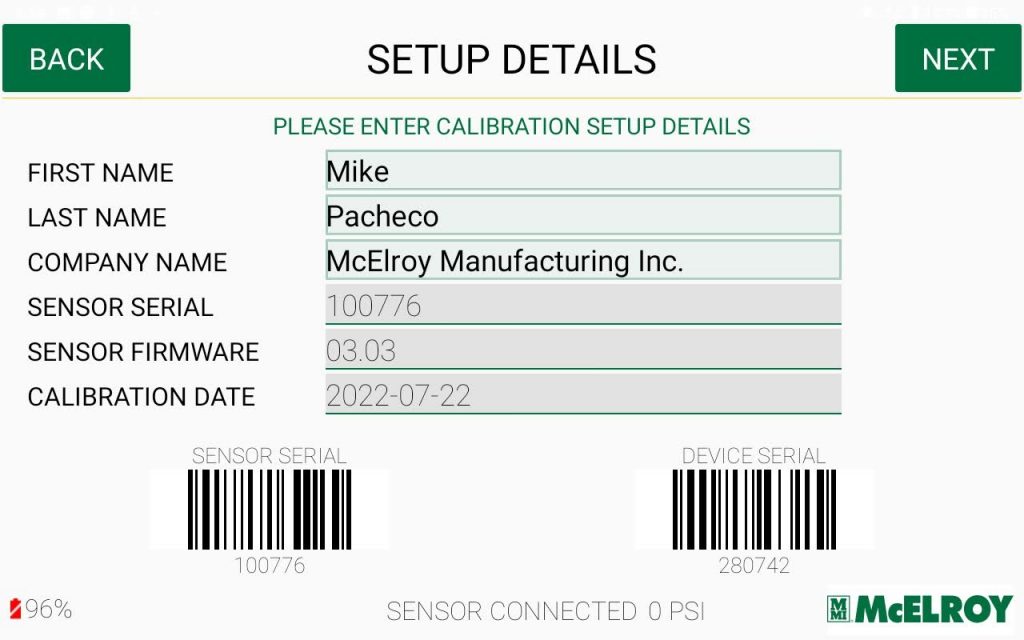
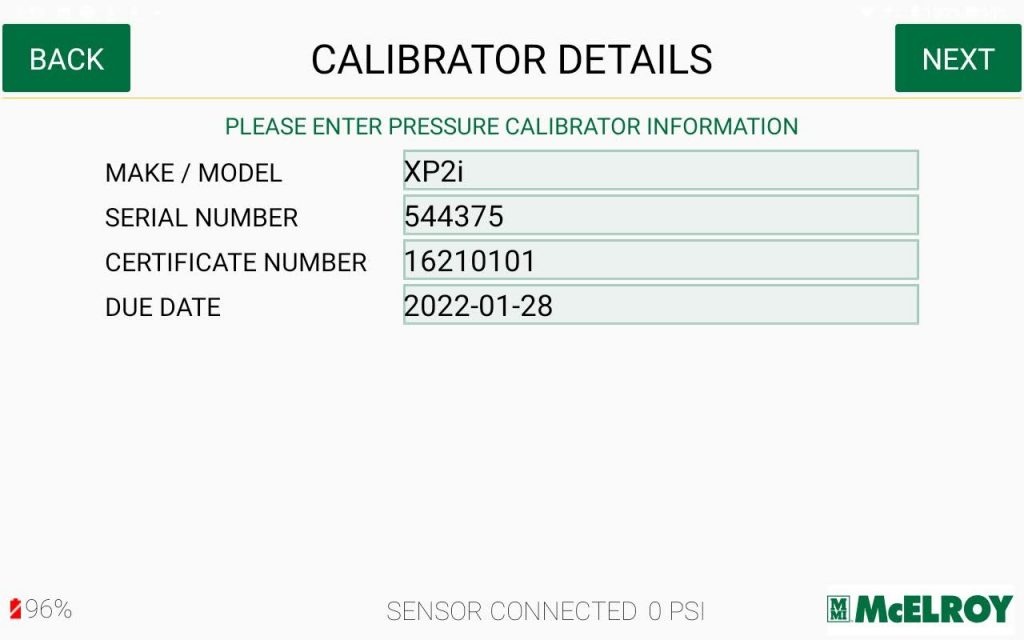
- Enter the technician’s information and calibration stand set-up details
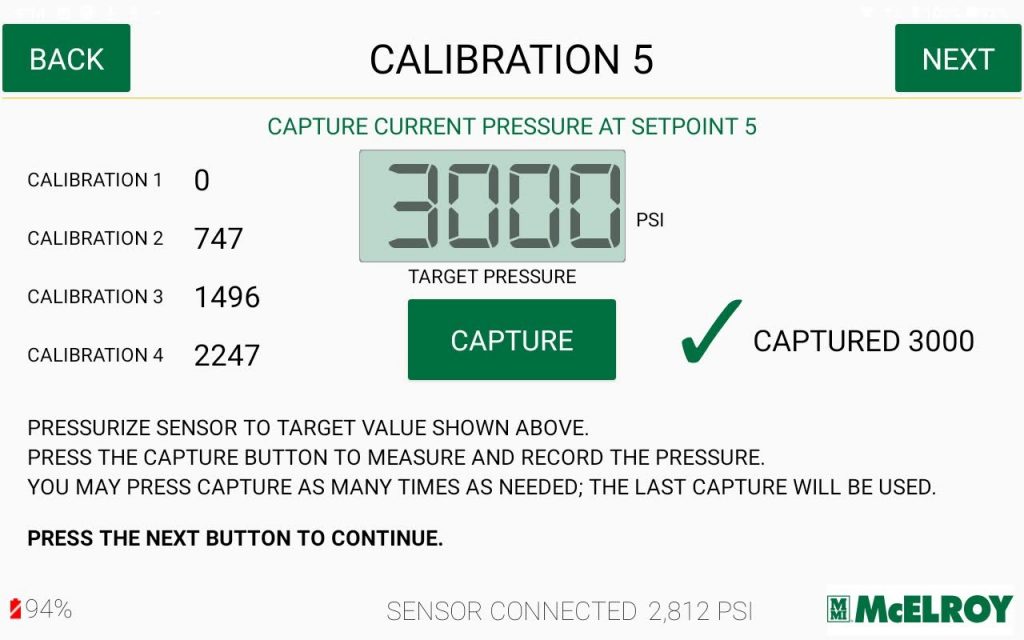
- Follow the steps on the screen and capture the pressure values at the prescribed points.
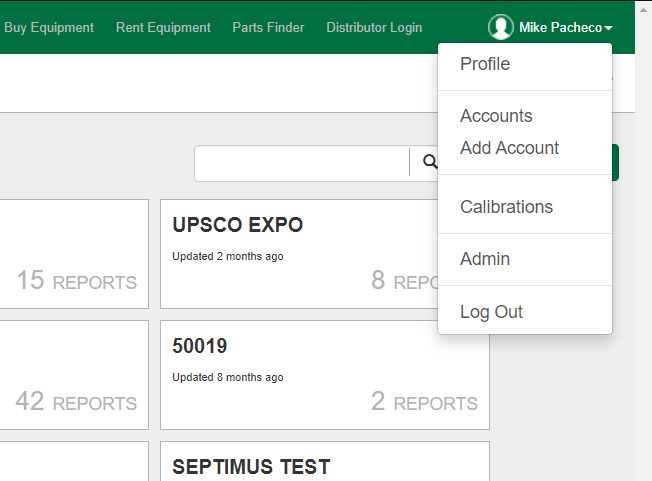
- Once completed, access the calibration report through the profile menu of the Vault account. The report is also available via PDF with a digital signature so it can be easily sent electronically.
If you already have a DataLogger Pressure Calibration Stand, add-on kits will soon be available that will include: DataLogger 7, Calibration App, DataLogger Cable, Adapter for iSeries and a DataLogger holder. To learn more, contact us directly at customercare@mcelroy.com.