As part of McElroy’s ongoing efforts to innovate new features for the Vault™ interface, we have introduced account administration features.
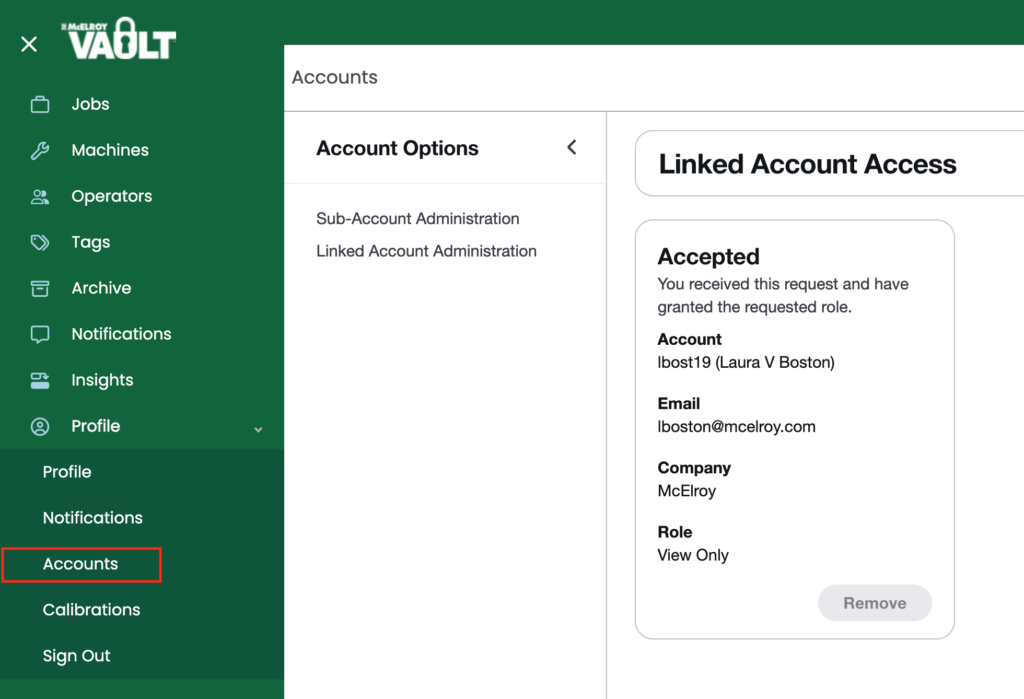
This update to our account user interface increases visibility and creates linked accounts. You can see these changes by navigating to “Profile” > “Accounts”. There, you’ll find an updated interface that includes “Sub-Account Administration” and “Linked Account Administration.”
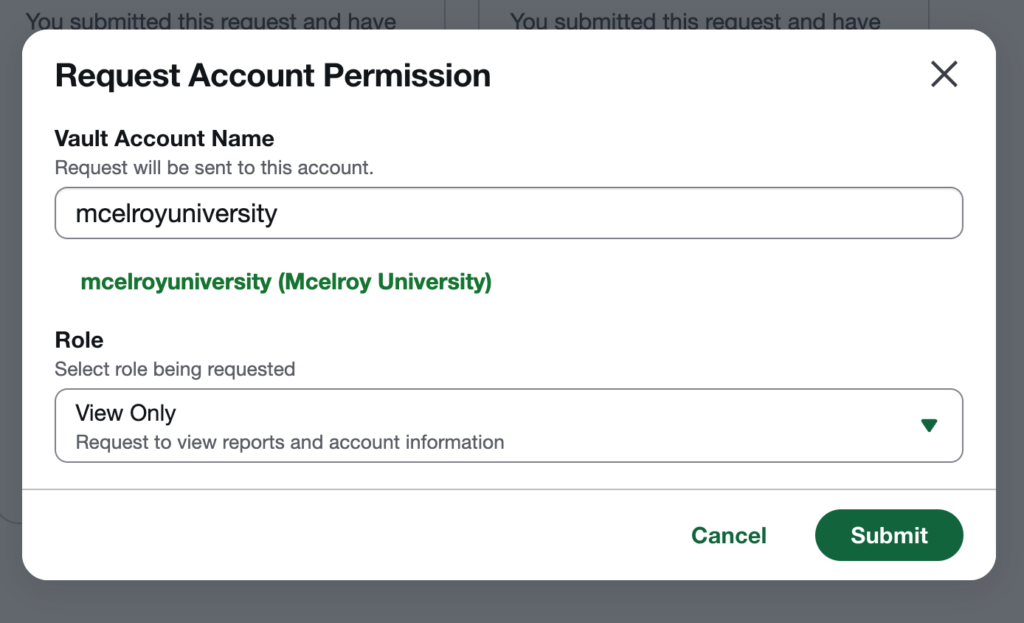
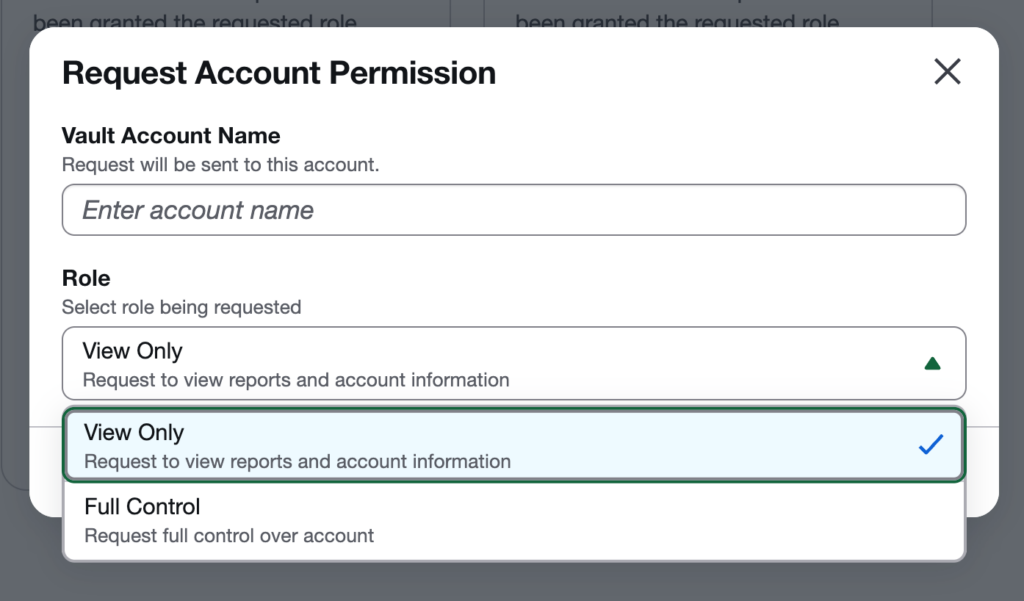
Any given Vault account can now submit an access role request to another account, including the level of access. To make the request, the requester will add the Vault™ account name (which should populate in green text under the search field) and the role access:
- View Only – Request to view reports and account information but do not have the ability to make changes (such as editing fields, notes, GPS coordinates, etc.)
- Full Control – Request full control over the account which allows them to make changes.
Request Account Permission Dialog
The account which receives the request (the requestee) then has the option of accepting or denying the request. When a request is received from the requester, the requestee will see a badge icon in the left navigation to direct them to the Account page where they can choose to accept or deny. When the request is accepted, the requester then may “assume” the requestee account (similar to the way sub-accounts work.)
Note: Account linking is uni-directional in that only the requester is granted access to the requestee account. The requestee will not have access to the requester account.
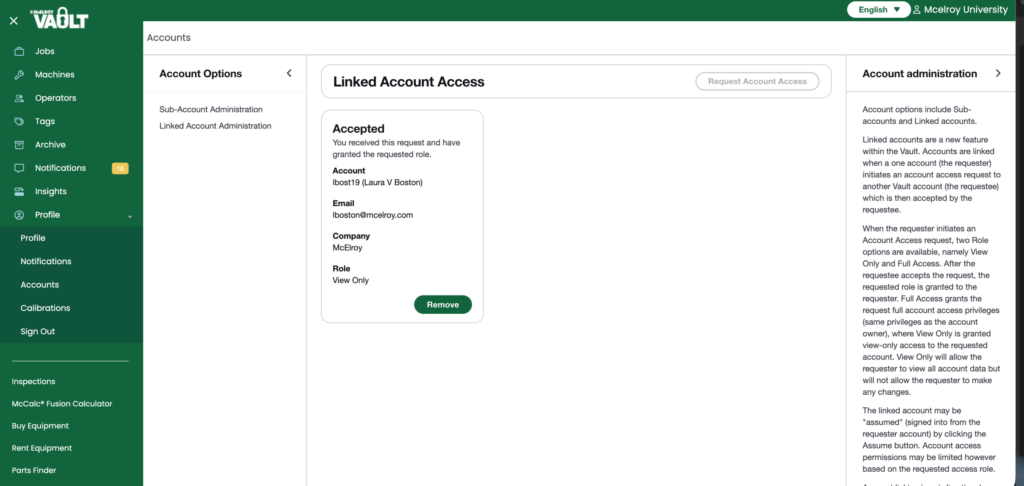
The Linked Account access page will display all account information including which requests have been accepted and which are waiting on approval.
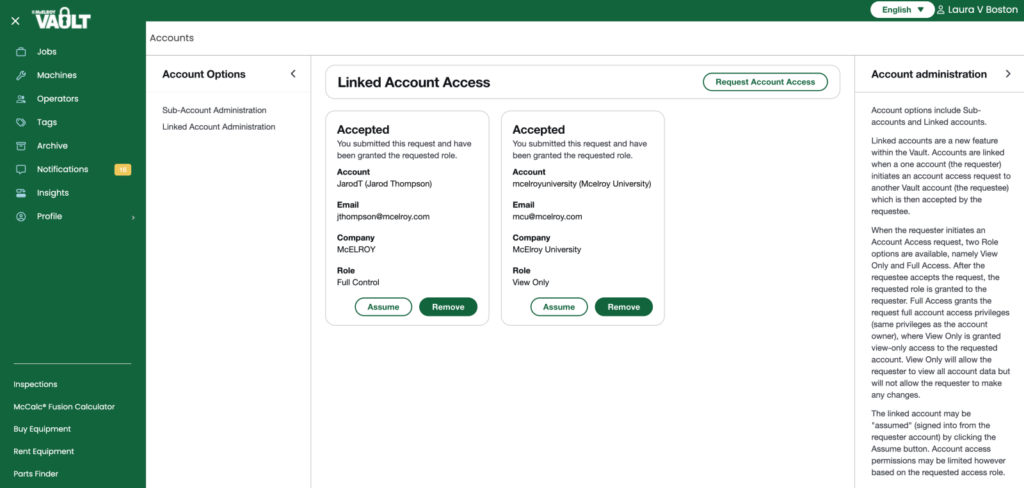
Either the requester or requestee can remove a linked account connection by clicking the Remove button. This action terminates access. The process to request access and then be accepted by the requestee would need to be followed again to re-connect.
Please contact digitalproducts@mcelroy.com if you have any questions about this new feature.