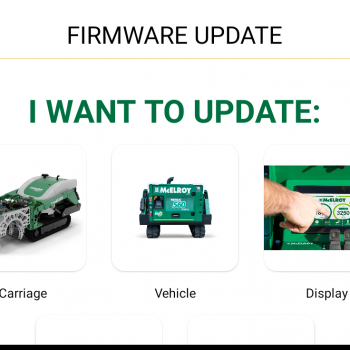
Introducing Guided Firmware Updates

Keeping your tech-integrated equipment updated is now easier than ever with McElroy’s Guided Firmware Updates. The Guided Firmware Update process allows users to update components that are controlled by firmware for operation. This process, presented on the DataLogger® 7, can be used as a step-by-step guide for updating machine components as new releases become available. Updating firmware is essential to ensuring the machine is running the latest version for continued enhancements and new features. Other …
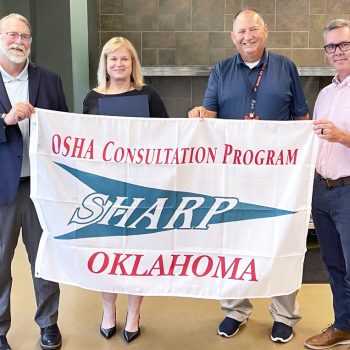

McElroy again receives OSHA recognition for commitment to workplace safety

On Monday, July 15, 2024, McElroy was recognized for its commitment to workplace safety and its participation in the Occupational Safety and Health Administration (OSHA) Safety and Health Achievement Recognition Program (SHARP). Oklahoma Labor Commissioner Leslie Osborn presented the company with a proclamation commending leadership and employees at two McElroy campuses, located at 833 N Fulton Ave. and 5305 E. Admiral Place in Tulsa.  She and OSHA Consultation Director Jason Hudson also presented company leadership …


Rand Stagen picked for INFUSION24 keynote

We’re excited to announce that Rand Stagen will be keynote speaker at INFUSION24 Oct. 8-11 in Tulsa! Rand Stagen is the CEO of the Stagen Leadership Academy. Established in 1999, the Academy trains thousands of leaders annually from across North America who are committed to long-term personal development and using their organizational platforms for positive impact. Prior to founding Stagen, Rand was a co-founder and Group Publisher of Presido Media, a publisher of newspapers and …


Add the DataLogger® Tracking Notification in the Vault™

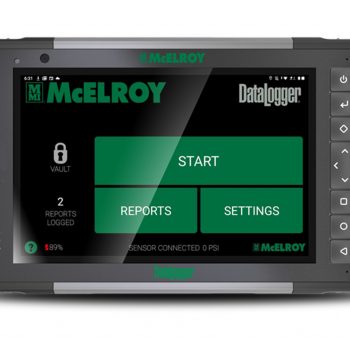
McElroy’s DataLogger® now includes the option to enable tracking notifications through the Vault™. Tracking notifications allow DataLogger owners to know the location of their DataLogger if the tablet is lost or stolen. To enable tracking notifications: 1. Log in to the Vault using your username and password. 2. From your account home page, navigate to the drop-down menu below your name and click on “Notifications”. 3. This page will list all of the notifications created …