As part of McElroy’s ongoing efforts to improve the Vault™ experience, new account administration features make it easier for organizations to collaborate, manage access, and maintain visibility across accounts without creating additional administrative work.
The update introduces Linked Account Administration, allowing one Vault account to request access to another account with either View Only or Full Control permissions. Once approved, the connection remains in place until either party chooses to remove it, creating a simple “set it and forget it” experience for ongoing collaboration.
Why It Matters
For many organizations, especially those working with contractors, inspectors, operators, or subcontractors, access to project information is necessary, but not everyone needs the same level of control. The new account administration tools provide flexibility while helping protect data integrity.
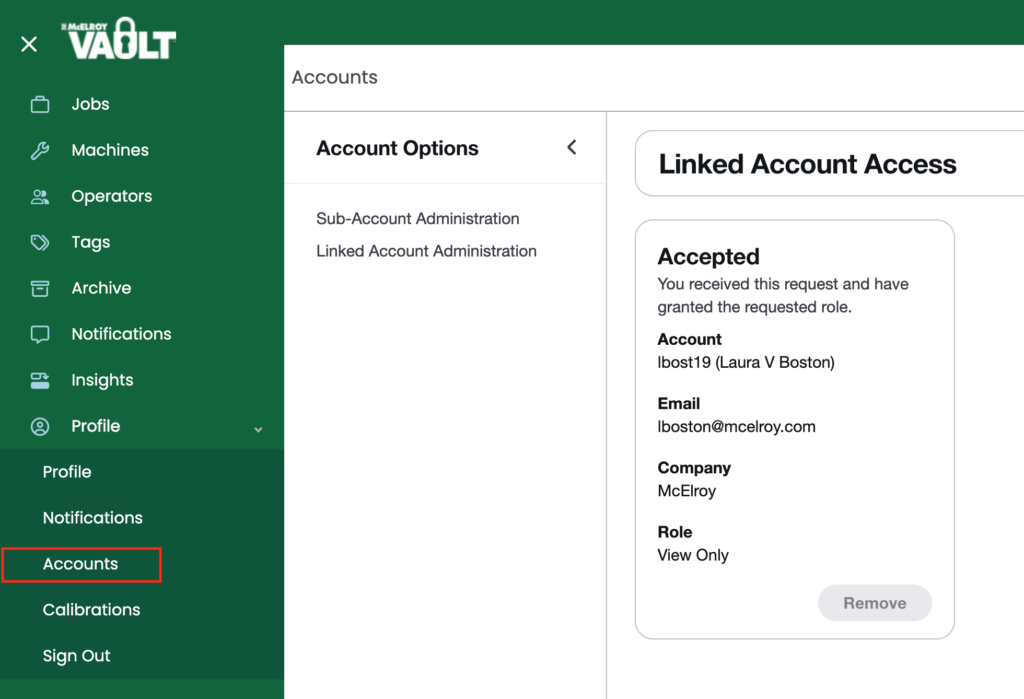
Customizable Access Levels
Users can select the level of visibility that best fits their relationship with another account:
- View Only access allows users to review reports and account information without making changes.
- Full Control access provides the ability to edit information, review joints, update notes, and perform administrative tasks when collaboration requires it.
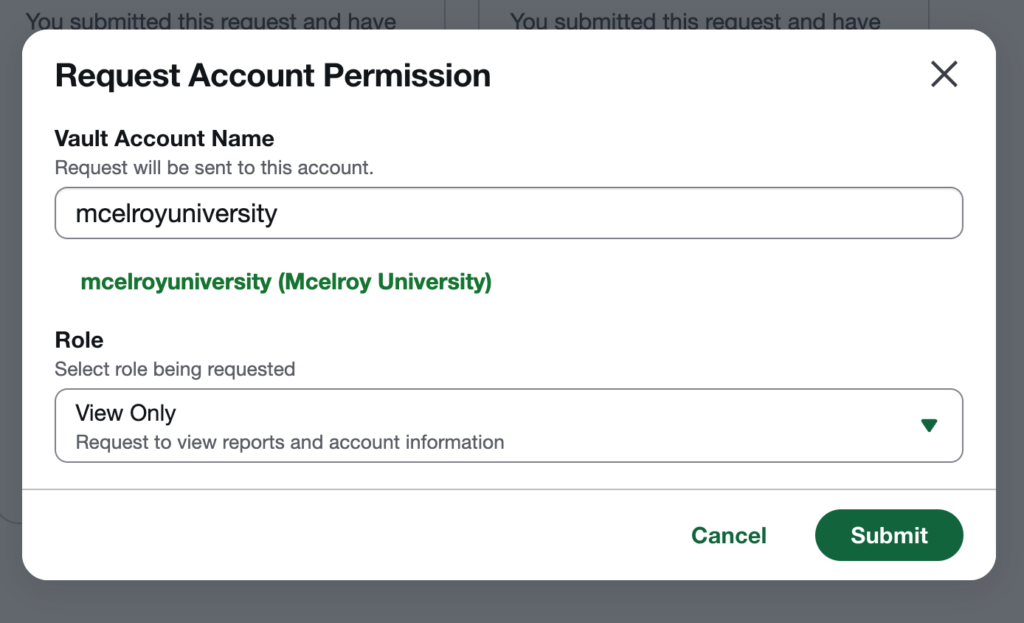
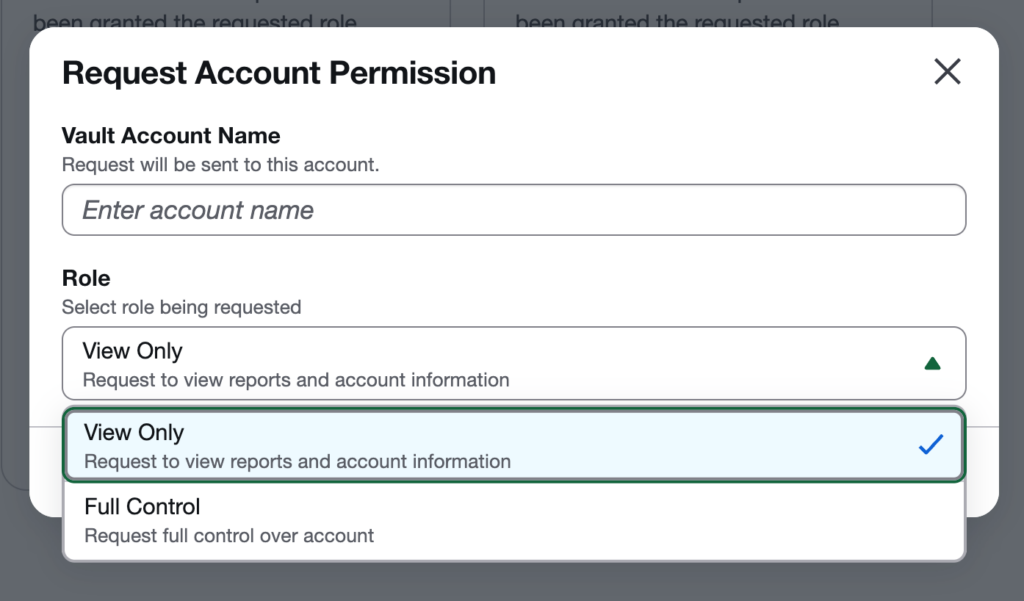
This flexibility reduces the risk of accidental changes while ensuring the right people have access to the information they need. For example, an inspector or contractor operator can view project information without editing fields, notes, or GPS data, while a project manager responsible for review and approval can be granted full control.
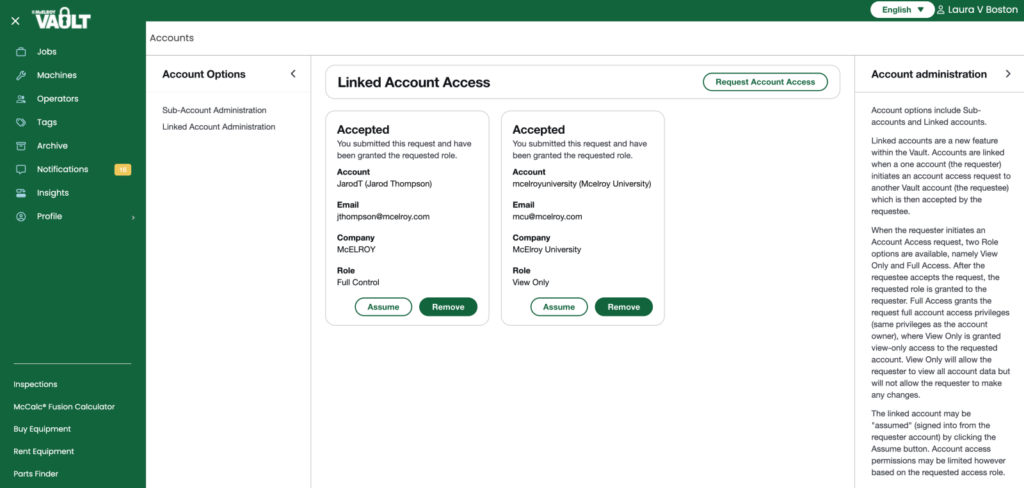
The linked account may be “assumed” by clicking the Assume button. This allows the requester to sign into the account with either full access to edit (full control) or to view the account information (view only.)
Eliminates Repetitive Job Sharing
Before linked accounts, organizations often needed to manually share every new job with a contractor or partner account. While continuous job sharing improved visibility, it still required users to establish sharing settings for each individual job.
With linked accounts, the connection is established once. New jobs and associated information become accessible through the linked relationship, eliminating the need to repeatedly create connections and share projects one by one. This saves time and reduces the chance of important information being overlooked.
Minimal Administrative Overhead
Once a linked account relationship is approved, there is very little ongoing management required. Users establish the connection, specify the access level, and continue their work without the need to repeatedly configure permissions or share projects.
The connection remains active until either party removes it, giving organizations long-term visibility across accounts without additional administrative burden.
A Foundation for Greater Operational Control
Beyond improving account visibility, these administration capabilities lay the groundwork for more advanced workforce and project management tools. By establishing clear account relationships and controlled access to information, organizations can better review the fusion data most important to them.
Whether managing subcontractors, providing customer visibility into project data, or coordinating activities across multiple business units, account administration features help create a more connected and efficient digital workflow.
Key Benefits at a Glance
- Choose between View Only and Full Control access.
- Reduce errors by limiting editing permissions where appropriate.
- Eliminate the need to manually share every new job.
- Maintain continuous visibility across linked accounts.
- Simplify collaboration with contractors, inspectors, and partner organizations.
- Establish account connections once and manage them only when necessary.
- Create a scalable foundation for future workforce and project provisioning capabilities.
The result is greater visibility, less administrative effort, and a more streamlined approach to managing project information in the Vault.
Please contact digitalproducts@mcelroy.com if you have any questions about this new feature.