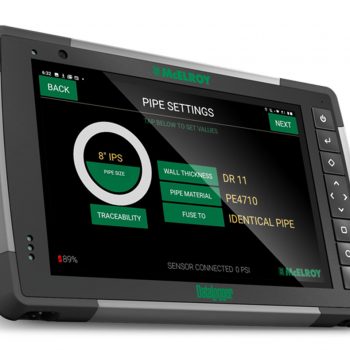
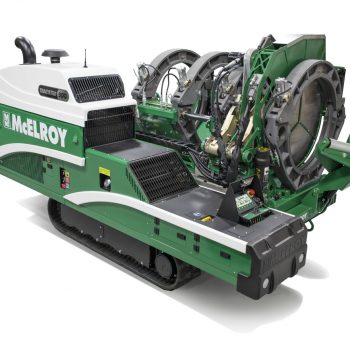
The April 29, 2026 release of the Carriage Control Module (CCM) 1.010 introduces several enhancements aimed at improving performance, building on the latest technology and improving diagnostic capabilities. This update notably expands functionality for the Medium Diameter TracStar® iSeries machine line while also incorporating new diagnostics and fusion process improvements.
To further support diagnostics and troubleshooting, a new charging system warning fault has been introduced. Designated as SPN 520366 with FMI 31, the alert is triggered when the engine has been running for at least 30 seconds and the internal battery voltage drops below 11.5 volts. This addition enables operators to identify and address electrical issues early, reducing the risk of unexpected downtime.
Enhancements Introduced in Previous Releases
Several important features carried over from previous releases continue to add value to this update and are now clearly distinguished from the newest additions.
Support for the ASTM F3722 fusion specification has been introduced, expanding compatibility across multiple welding methods, including butt, sidewall-outlet, socket, and electrofusion processes. This specification has also been integrated into the McCalc® Fusion Pressure Calculator, improving accuracy and compliance in pressure calculations.
User interface improvements have been implemented to enhance accessibility and usability. Machine control screen text labels are now translatable on connected equipment beginning with the Tritan® 560. Spanish is included in this initial rollout, with additional languages planned for future releases, enabling broader accessibility for operators.
Efficiency during fusion setup has also been improved through the addition of barcode scanning functionality within the “Job” tab. This feature reduces manual data entry while eliminating prior case-sensitivity issues, streamlining the workflow and minimizing user error.
Finally, enhancements to the logging system now include open and close time options within the drop-down menu when using the “Other” standard. These values are displayed when configured and when fusion is performed at Level 1 or Level 2, providing greater visibility into process timing and supporting better record-keeping.